How do I import my CMS solutions (like WordPress) into the control panel?

Softaculous is a tool that ease the maintenance of installed CMS solutions (such as Wordpress, Joomla and Drupal) by making it easier to install, manage and update installed CMS solutions. This tutorial shows how to get a running CMS solution imported into Softaculous.

1) Log on http://your-domain.dk:8080
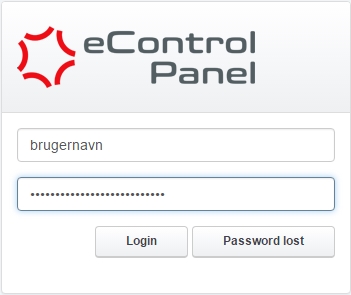
login


2) Click on the Tools tab at the top of eControlPanel.


3) Click on Softaculous under Auto Installer.

If the field "Softaculous" is not shown under  "Tools" as described above then please reach out to our support team here.


4) Check that the correct domain is selected in the upper right drop down menu and click it to change domain if needed.


5) Click on the Overview button under the desired CMS
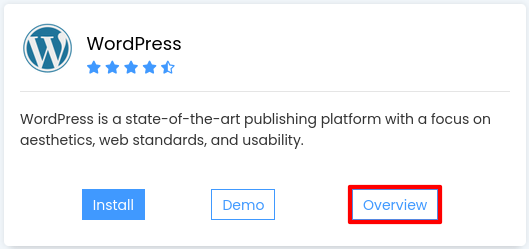
 

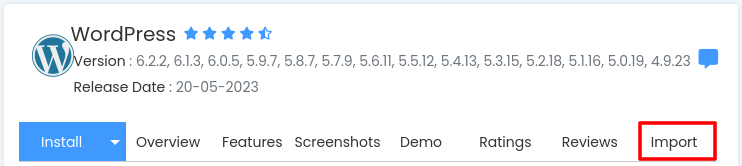
6) Click on the Import tab
 

7) Click on Auto Detect All installations
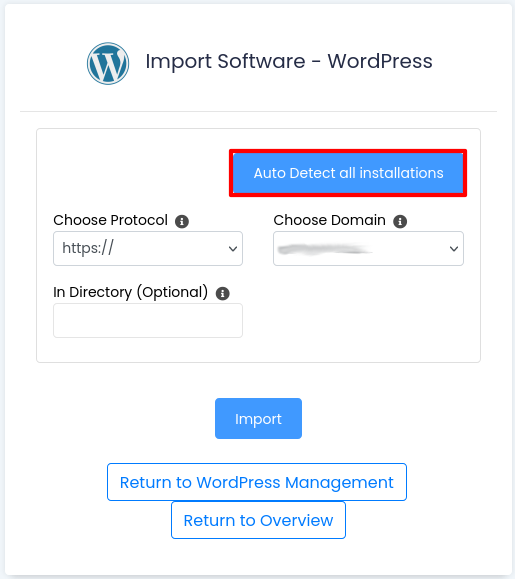
 

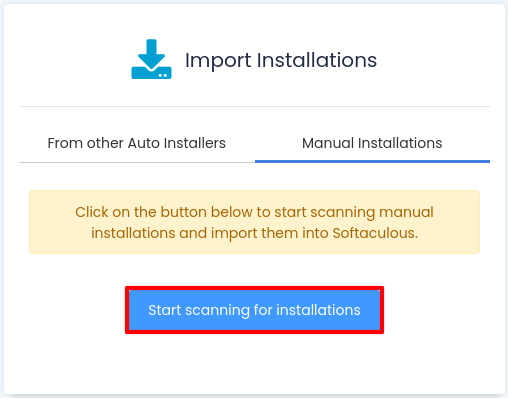
8) Click on Start scanning for installations
  • 1 Users Found This Useful
Was this answer helpful?

Related Articles

How do I check traffic and quota in the Control Panel?

You can find the traffic usage in the Control Panel at Email -> Mailbox traffic.The statistics...

I already have a database - how do I import it?

If you have an database created, you can log in to it at RemoteMySQL. Then you click the empty...

What can I do if I forgot my password to the controlpanel?

You can get access to the controlpanel by going to this adresss: http://your-domain.dk:8080....

How do I change the password for my FTP account?

First you'll need to log in to your Control Panel and access the tab Sites -> FTP-Accounts....

How do I log in to my Control Panel?

Before you begin We refer to your-domain.dk in this guide. It is to be replaced by your own...