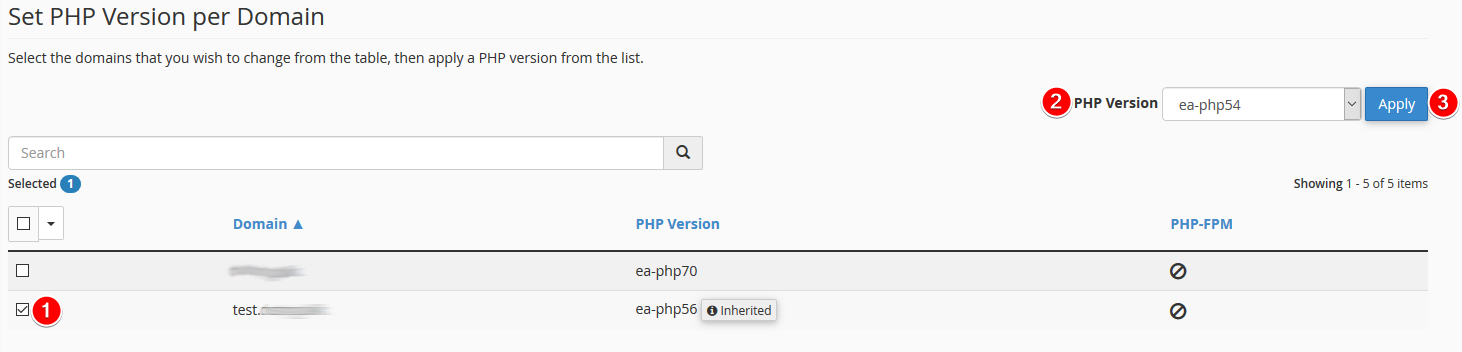
With MultiPHP you can have different PHP versions for your different domains, even if they are located on the same web hosting solution.
By default, a domain inherits a specific recent PHP version. This happens if "inherinted" is written next to a domain or if the PHP version is set to "inherint". The advantage of this option is that the domain automatically switches to a recent PHP version continuously.

To change the PHP version for one of your websites, please do the following:
- Select a domain
- Select PHP version
- Click Apply
Be aware that it is not certain that your website supports all PHP versions, but it is worth investigating. You get better performance and more security by using the latest PHP version.