How do I setup my Office 365/Exchange account on iPhone/iPad

Click on Settings and then Mail.
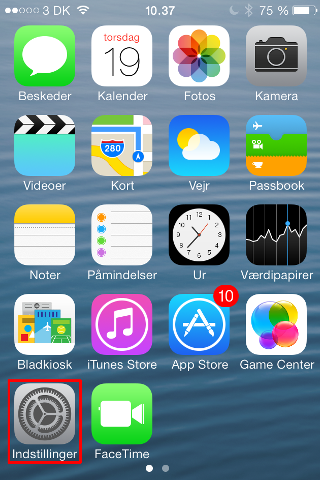


Click on Accounts and then Exchange.


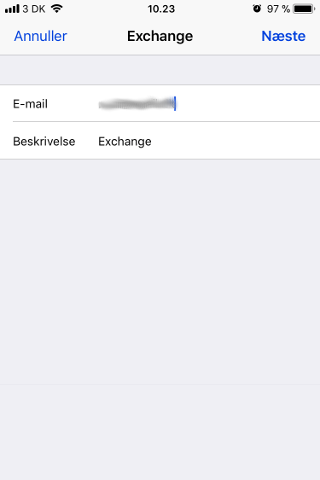
Enter your mail adress and a suitable description. Click Log in to connect to Microsoft.


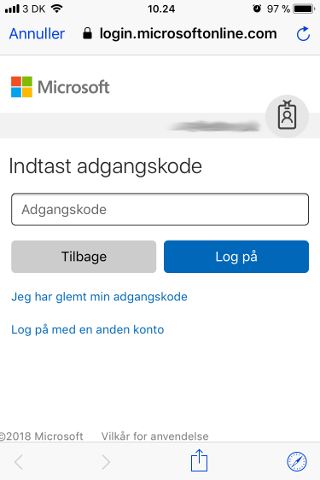
Type your password to sign in and click Accept to accept the terms.

Your Exchange account is now set up and you should be able to receive and send mail.


  • 1 Users Found This Useful
Was this answer helpful?

Related Articles

Where do I find my webmail for Office 365/Exchange?

Your Office 365 webmail can be found at the link below:https://login.microsoftonline.com/

Can I create my account on multiple devices using Office 365/Exchange?

You can connect to your Office 365 account from as many devices as you'd like. They'll all...

How do I create my Office 365/Exchange account in Mac Mail?

Follow these steps to add an Exchange account to Mac Mail. Open Mail. From the Mail menu,...

How do I setup my Microsoft 365/Exchange account in Outlook?

Remember to use Outlook (classic): It is important to use Outlook (classic) to set up your...