
1. Delete old emails from your email client
If your mail account has gone over quota, it is possible to delete old mail if you log on using IMAP directly in your mail client as they'll be deleted directly on the server. Remember to empty your Deleted items/Trash folder as it will still take up space as long as it contains mails.
2. Delete emails via the webmail
It's also possible to log on to your webmail and delete old mail there. The webmail can be found at WebMailHome (remember to replace my-domain.dk with your own domain name).
3. Adjust email quota through the controlpanel
A third option is to log on to your control panel: http://mail.your-domain.dk:8080. Access the pane Email -> Mailbox quota. Here you're able to see the actual amount of used and allocated space. By clicking on an email adress you can change the reserved space for that account.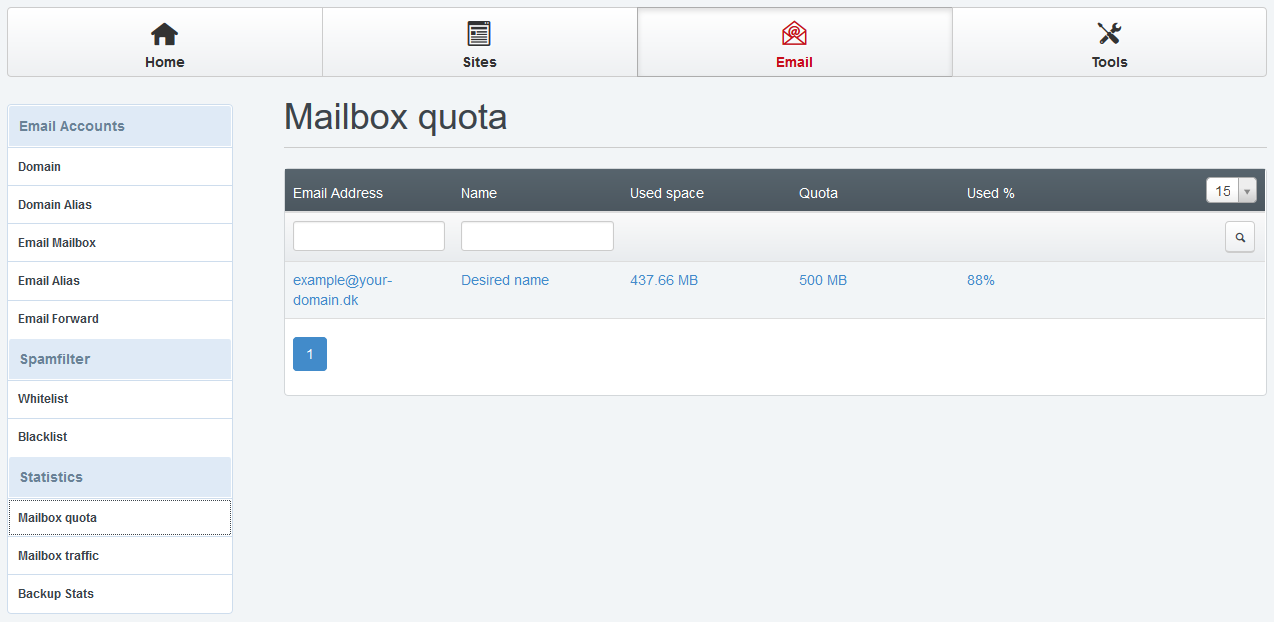
4. Buy additional diskspace
Last but not least it's possible to buy additional diskspace to an existing product or upgrade to a greater product. Both options are availble in the client area under the details of your product.
- 18 Users Found This Useful


