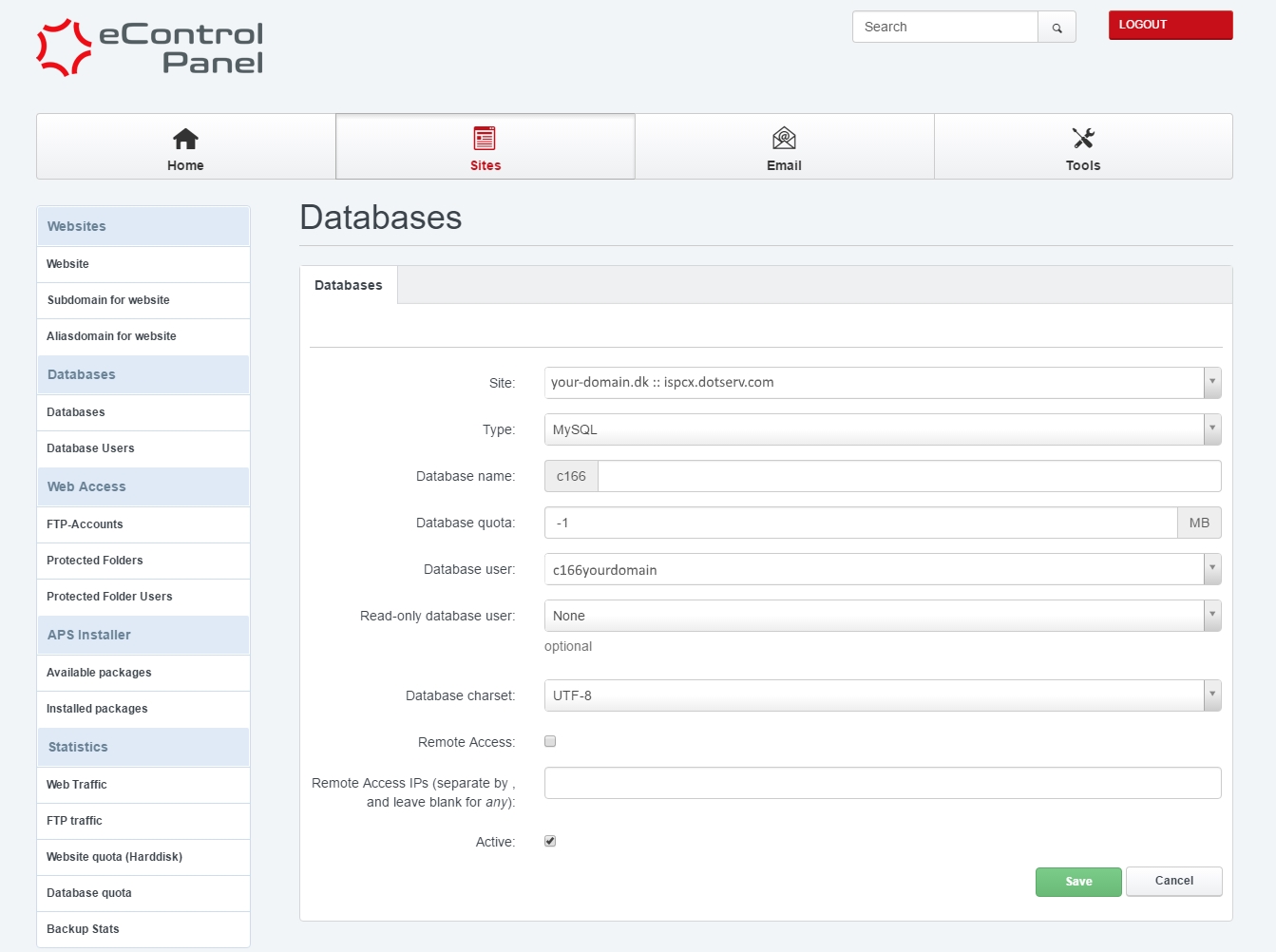
You can create databases, by accessing Sites -> Databases -> Add new Database in your Control Panel.
- Database name enter the database name.
The ID on the left, will be added to the databasename. In this example it's c166yourdomain. - Database user choose your user for the database.
If you don't want to use one of the existing users, you can create a new one at the tab Database users. - Database charset leave this field at UTF-8.
- Remote Access activate this field, if you need to log on from an external server.
You should also send the servers IP address to support@enavn.dk, to have it whitelisted. - Active make sure this field is activated otherwise you can't use the database.
- Database name enter the database name.
Then click Save.