How do I log in to my Control Panel?

Before you begin

We refer to your-domain.dk in this guide.
It is to be replaced by your own domain name, when following the guide.


Start your browser and enter the following in the address bar: http://mail.your-domain.dk:8080. (Replace your-domain.dk with your own domain name.)
Insert the username and password you received, when the webhotel was created.
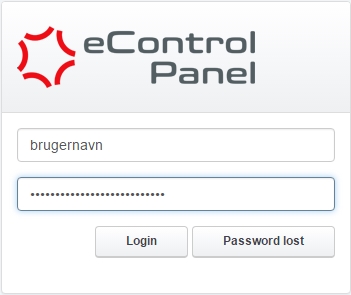
login


When you are logged in to your eControlPanel it will be possible to change the password for your user. To change this, you must access the Tools tab and then the tap Password and Language.

sprog

  • 1 Users Found This Useful
Was this answer helpful?

Related Articles

What is a strong password?

It is important that you create a strong password, for your email accounts. Simple passwords,...

How do I configure an email alias?

Before you begin We refer to your-domain.dk in this guide. It is to be replaced by your own...

Hvordan aktiverer jeg kryptering (TLS)?

Generelt findes nedenstående indstillinger i dine avancerede indstillinger i mailprogrammet....

How do I configure an email forward?

Before you begin We refer to your-domain.dk in this guide. It is to be replaced by your own...

How do I change the password for my email account?

If you have forgotten your email password you can reset it through the controlpanel as described...